Documentation Index
Fetch the complete documentation index at: https://moengage-crashes-in-debug-feedback.mintlify.app/llms.txt
Use this file to discover all available pages before exploring further.
Problem
Cards are getting auto-duplicated while editing Card campaigns.Explanation
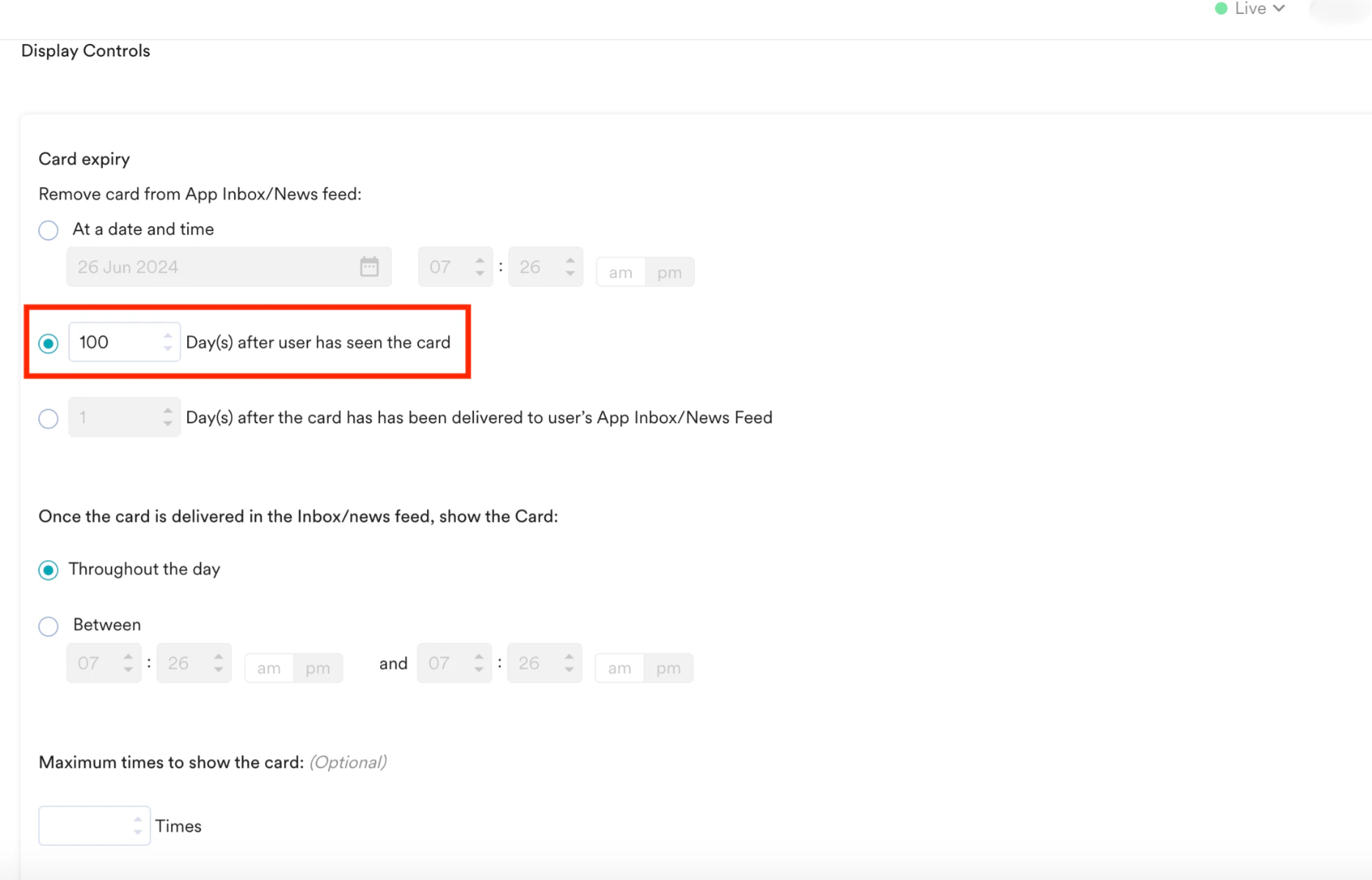
This problem can occur when you configure a periodic campaign to expire each card in a specific number of days after a user has seen it. As a result, a new child card campaign appears each day, while the previous cards remain for the same number of days.Solution
To avoid duplication of cards:- While defining the Card campaign’s delivery schedule and goals, under the Display Controls section, ensure that the Day(s) after user has seen the card option under Card expiry is configured to 1.
- In the following example, the option is set to 100, which must be set to 1.