

Documentation Index
Fetch the complete documentation index at: https://moengage-crashes-in-debug-feedback.mintlify.app/llms.txt
Use this file to discover all available pages before exploring further.
Problem
Common issues with Push notifications, including failed delivery, screen navigation, deep linking, and rich landing, are occurring on iOS devices using Flutter, Objective-C, and MoEngage-iOS-SDK (Versions 7.x.x, 8.x.x, 9.x.x).Solution
Perform the following steps:- Firebase Proxy:
- If you are not using Firebase push notifications, then disable the Firebase proxy by adding the FirebaseAppDelegateProxyEnabled key in info.plist with the value Boolean = False/NO.
- Test the push notification. If successful, no further action is required. Otherwise, follow the steps below.
- If you are using Firebase push notifications, skip this step and proceed with the following steps.
- Disable MoEngage Proxy:
- Add MoEngageAppDelegateProxyEnabled key in info.plist with the value Boolean = false/NO
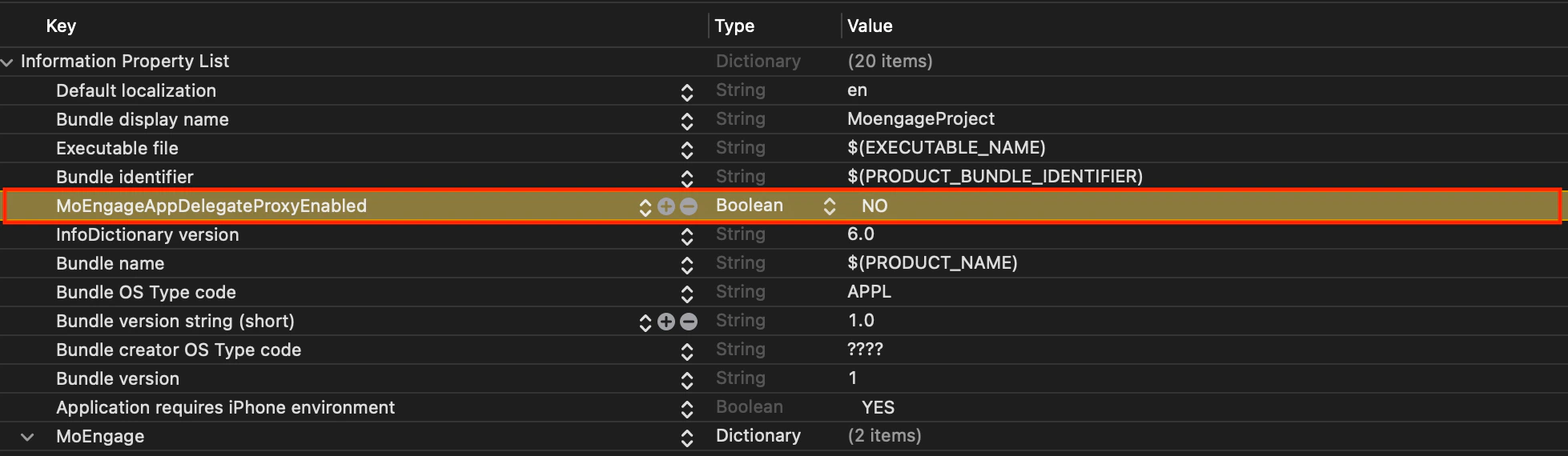
- Add MoEngageAppDelegateProxyEnabled key in info.plist with the value Boolean = false/NO
- Override didRegisterForRemoteNotificationsWithDeviceToken Function:
- Override the didRegisterForRemoteNotificationsWithDeviceToken function of the AppDelegate.m file.
Objective-C
- Override the didRegisterForRemoteNotificationsWithDeviceToken function of the AppDelegate.m file.
- Override UNUserNotificatoinCenterDelegate Functions:
- Override the UNUserNotificatoinCenterDelegate functions in the AppDelegate.m file.
Objective-C
- Override the UNUserNotificatoinCenterDelegate functions in the AppDelegate.m file.